In today’s fast-paced digital world, video content has become a powerful tool for communication. Whether you’re making a tutorial, a marketing video, or a personal vlog, having a clear, professional voiceover can make a huge difference. But getting the right voiceover can be time-consuming and expensive. That’s where text to speech AI comes in. With AI voice generators, you can create high-quality voiceovers quickly, efficiently, and cost-effectively. In this post, we’ll explore why using AI voice generators is a game-changer for your video projects.
What Are AI Voice Generators?
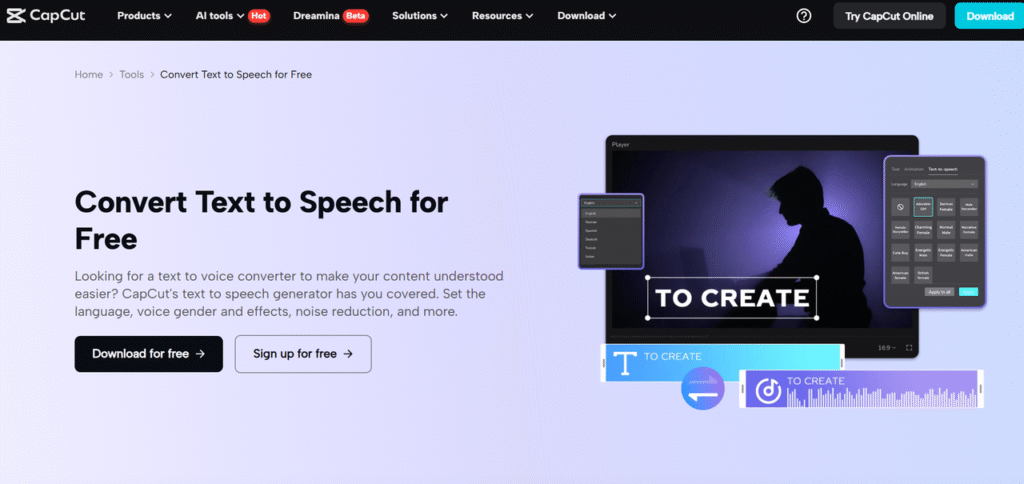
AI voice generators are tools that convert text into natural-sounding voiceovers. Using advanced technology, these tools read written content aloud in a way that mimics human speech. These tools have come a long way in recent years. Now, you can use text to speech AI to generate voices that sound incredibly realistic, with various tones, accents, and languages to choose from.
AI voice generators work by analyzing the text you input and then converting it into speech. The technology is powered by machine learning models that have been trained to understand language patterns, pronunciation, and tone. The result? A voiceover that sounds natural and human-like, even though it’s entirely generated by AI.
Benefits of Using AI Voice Generators for Video Projects
There are many advantages to using AI voice generators for your video projects. One of the biggest benefits is the cost-effectiveness. Hiring professional voiceover artists can be expensive, especially for larger projects. AI voice generators, on the other hand, allow you to generate voiceovers at a fraction of the cost, making them a great option for anyone on a budget.
Another key benefit is time-saving. With traditional voiceover work, you would need to book a voice artist, schedule recording sessions, and go through the process of editing the audio. But with an AI voice generator, you can instantly create voiceovers by simply typing out the script. This can save hours, or even days, of production time. In addition, the voiceovers are generated much faster, allowing you to meet tight deadlines.
AI voice generators also offer a lot of customization. You can choose from a wide variety of voices, languages, and accents, allowing you to tailor your voiceover to your target audience. Whether you’re aiming for a formal tone, a casual one, or even something playful, there’s a voice that will suit your needs. You can also change the speed and pitch of the voice, making it even more flexible for different types of content.
The consistency of AI-generated voiceovers is another major advantage. Unlike human voice actors, who may sound slightly different depending on their mood or energy level, AI-generated voices stay consistent throughout the entire video. This ensures that your message is delivered clearly and effectively without any variations in tone.
Finally, using AI voice generator makes it much easier to scale your video production. If you need to create voiceovers for multiple videos, AI allows you to do so without additional costs or significant time investment. Whether you’re working on one video or a series, AI voice generators make it easy to keep up with your content creation.
How AI Voice Generators Improve Accessibility
Another reason to use AI voice generators is that they improve accessibility for your audience. By adding voiceovers to your videos, you can make your content more accessible to individuals with hearing impairments. Additionally, when paired with subtitles, AI voice generators help create a richer experience for viewers who prefer listening over reading.
These tools also play an important role in helping you reach global audiences. With AI voice generators, you can create voiceovers in multiple languages, making it easier to localize your content for people in different regions. This opens up your content to a broader range of viewers, allowing you to connect with more people around the world.
Using CapCut’s AI Voice Generator for Your Video Project
One of the best tools available for creating high-quality voiceovers is CapCut’s AI voice generator. CapCut offers a simple, user-friendly platform that lets you easily create AI-generated voiceovers for your video projects. Here’s a simple guide to using CapCut’s AI voice generator on the desktop version:
Step 1. Import Video
First, you need to import your video into CapCut. Simply open the CapCut desktop version and upload your video to get started.

Step 2. Use Text to Speech
Once your video is uploaded, you can use CapCut’s “Text to speech” feature to create a voiceover. Enter the script or text you want to convert into speech, choose the voice and language, and let the AI generate the voiceover.
Step 3. Export Video
After the voiceover is ready, you can preview it with your video. If you’re satisfied with the result, simply export the video with the newly added AI-generated voice.
These three easy steps allow you to create professional voiceovers in no time, making CapCut a great tool for video producers of all skill levels.
Enhancing Your Video Quality with AI Video Upscalers
Once you’ve got your voiceover ready, another powerful tool you can use to improve your video is an AI video upscaler. This tool enhances the quality of your video by increasing its resolution without losing details. It’s particularly useful if you’re working with low-quality footage and want to make it look sharper and more polished. With the help of an AI video upscaler, you can give your videos a professional, high-quality finish, making them more appealing to viewers.
Whether you’re creating content for social media, YouTube, or any other platform, combining AI voice generation and video upscaling can take your production to the next level. The AI voice generator ensures your audio is clear and professional, while the video upscaler ensures the visual quality is top-notch.
Conclusion
AI voice generators are changing the way we create videos. They offer numerous benefits, including cost savings, time efficiency, and customization. With tools like CapCut’s AI voice generator, anyone can easily add professional-quality voiceovers to their videos, whether for personal projects or business use. Moreover, combining AI voice generation with tools like an AI video upscaler will help you create high-quality, engaging content that stands out.
So, if you’re planning your next video project, consider using AI voice generators to save time, reduce costs, and enhance the quality of your content. With the right tools, you can take your videos to the next level and deliver a more professional, polished product to your audience.